RecSimple

Language Pricing Customer account Get it in the Store

Record sound without learning a program first

RecSimple is a Windows audio recorder with a single window: dictation, interviews, meetings, podcast episodes, or the sound that is playing on your computer right now. You pick your recording device, press record and stop when you are done. The file is then in your folder, as MP3, WAV or AIFF.

Get RecSimple in the Microsoft Store

The Store listing is under review. Write to us and we will let you know as soon as RecSimple is in the Microsoft Store: office@smartbit.at

The download is free, and you create your account in the customer account. Try the annual plan free for 14 days, cancel by the last trial day, otherwise it continues at €29.99 per year. Or €3.99 per month, from day one. Prices incl. VAT.

RecSimple main window: device selection, level meter, record button
RecSimple while a recording is running

Everything that matters on one page

Recording device, level meter, record button and your finished files sit in one window. The things you need less often (naming scheme, signal tones, schedule, keyboard shortcuts) live in the advanced settings and are off out of the box.

See the level before you record

The level meter runs before you record, on a dB scale from −60 to 0. The marked target range between −18 and −6 dBFS shows where a spoken recording should sit. Peak hold and the clipping indicator reveal what you would otherwise notice only on playback. So you speak a few words, adjust, and keep the take.

Your recordings stay yours

Recordings and settings stay on your device. What you get are ordinary MP3, WAV or AIFF files that open and travel without RecSimple. There is no advertising and no telemetry.

Six level meters to choose from

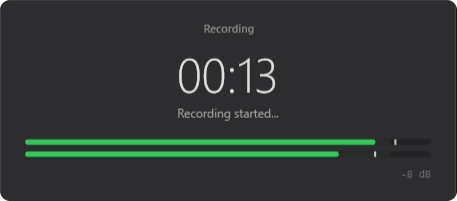
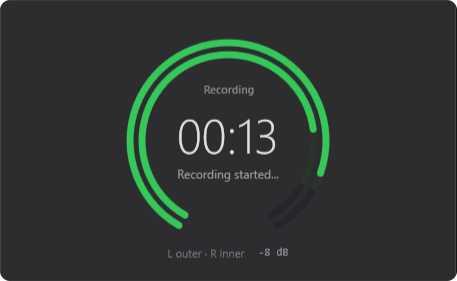
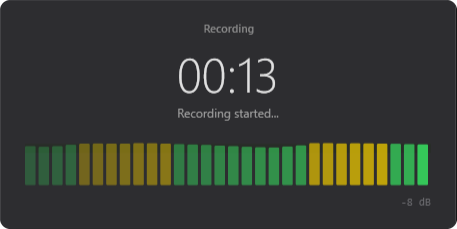
Classic scale, stripes, segments, ring, history or wave: pick the one you read best in the advanced settings. All of them show left and right separately.

Classic
Classic
Stripes
Stripes
Segments
Segments
Ring
Ring
History
History
Wave
Wave

How a recording goes

Create an account

On first start you create an account and confirm your email address. You can also sign in with Google or Microsoft.

Pick a device

Pick your microphone from the list, or the sound that is playing on your computer. The meter shows straight away whether a signal is arriving.

Record

Press record. You can pause and resume along the way, and stop when you are finished.

Listen back and rename

The finished file appears in the list inside the window. That is where you play it back and rename it; it is saved in the folder you chose.

RecSimple with a finished recording in the list

What RecSimple does

  • Microphone, headset or any other capture device, or the sound playing on your computer
  • Saved as MP3, WAV or AIFF
  • Mono or stereo, adjustable sample rate and MP3 bitrate
  • Pause and resume while recording
  • Levels per channel on a dB scale, with target range, peak hold and clipping indicator
  • Recording list in the window: play back and rename finished takes
  • Interface in 37 languages, following your Windows display language on first start
  • Windows 10 version 1809 or later and Windows 11, on x64 and ARM64
The advanced settings of RecSimple

What RecSimple costs

Yearly subscription

€29.99

€29.99 per year, incl. VAT. That works out at €2.50 per month. The first 14 days are a free trial; after that the subscription renews automatically until you cancel. You can cancel any time in the customer portal; cancelling takes effect at the end of the period you have paid for.

Monthly subscription

€3.99

€3.99 per month, incl. VAT, from day one. The subscription renews automatically until you cancel. You can cancel any time in the customer portal; cancelling takes effect at the end of the period you have paid for.

One subscription covers one PC. If you need RecSimple on your laptop as well, add another device slot in the customer portal at the same price. The price shown applies in every country, and VAT is included. We bill in euros and directly, not through the Store; payment runs through Stripe, with the methods offered there.

The annual plan starts with a 14-day free trial. You add a payment method when you start; cancel in the customer portal by the last trial day and nothing is charged, otherwise the annual plan continues automatically. The monthly plan is charged from day one. The trial is available once per person and payment method. Without an active subscription your recordings stay exactly where they are; RecSimple then only opens the sign-in window.

Common questions

Why a subscription instead of a one-off purchase?

RecSimple takes ongoing work: Windows keeps changing, bugs want fixing, 37 languages want maintaining, and the license server has to be run. A subscription spreads those costs over time instead of packing them into a one-off price. If RecSimple no longer fits, you cancel and keep your recordings.

Why do I need an account?

The subscription belongs to your account, not to one particular computer. That way you can take it to a new device; you can swap a device in your customer account at most twice every 30 days. We bill you directly rather than through the Store, and for that we need an email address that you confirm once. You can sign in with your email address and a password, or through Google or Microsoft.

What happens to my recordings after I cancel?

The files are yours and stay usable. They are ordinary MP3, WAV or AIFF files. Without an active subscription, RecSimple itself only opens the sign-in window with a link to your recordings folder. You delete the account and its device list in your customer account; a running subscription ends immediately, without a refund. That does not touch the files.

Do I need an internet connection?

For signing in and for the purchase, yes. After that the app checks in with the license server now and then; you can keep working for up to 14 days without a connection. The recording itself runs on your computer, and your files are not transferred.

Why does Windows show that the microphone is in use?

So the level meter can show, before you record, whether you picked the right device and whether the level is right. Only loudness is measured; a file is created once you start the recording. Windows shows microphone use in the taskbar, and you can withdraw the permission in the Windows settings under Privacy & security → Microphone.

How do I cancel?

In the customer portal, which you open from the app or from your customer account. Cancel during the trial and nothing is charged; otherwise cancelling takes effect at the end of the period you have paid for, and the subscription keeps running until then. The same portal is where you change your payment method and the number of device slots.

Give it a try

Download RecSimple, create an account and try the annual plan free for 14 days, cancel by the last trial day.

Get RecSimple in the Microsoft Store

The Store listing is under review. Write to us and we will let you know as soon as RecSimple is in the Microsoft Store: office@smartbit.at

Privacy in short

Your recordings and settings stay on your device. On its own, RecSimple connects to our license server only, to check your account and subscription; your recordings are not part of that. For the purchase and the customer portal the app opens your browser, and Stripe handles the payment. There is no advertising and no telemetry. The details of what is processed are set out in the privacy policy.

Read the privacy policy

Impressum

SmartbIT SG OG

Krakaudorf 115g
8854 Krakau
Österreich
E-Mail
office@smartbit.at
Firmenbuch
FN 682952 t, Landesgericht Leoben
UID-Nummer
ATU83489208
Gewerbebehörde
Bezirkshauptmannschaft Murau
Kammer
Wirtschaftskammer Steiermark
Unternehmensgegenstand
Dienstleistungen in der automatischen Datenverarbeitung und Informationstechnik
Rechtsvorschrift
Gewerbeordnung (GewO)